
How is cloud PBX pricing set?
Cloud PBX pricing is the monthly fee for a service that runs your phone system over the internet. It is mostly set by capacity: the number of extensions, how many calls can run at once and how many numbers you can connect.
Looking only at the monthly figure can mislead. Some services sell IVR menus, call recording or queues as add-ons; others charge setup fees or require a commitment. The fair comparison is the total monthly cost with the features you need included.
Number of extensions
Every person or department with a phone is an extension.
Concurrent calls
How many conversations can run at the same time.
Number capacity
How many 0850, city or 444 numbers you can connect.
Recording retention
How long and how much space call recordings get.
Related pages: Cloud and Virtual PBX Pricing 2026: From TRY 440 a MonthWhat Is a Cloud PBX? How It Works, Pricing
How much are TekSantral plans?
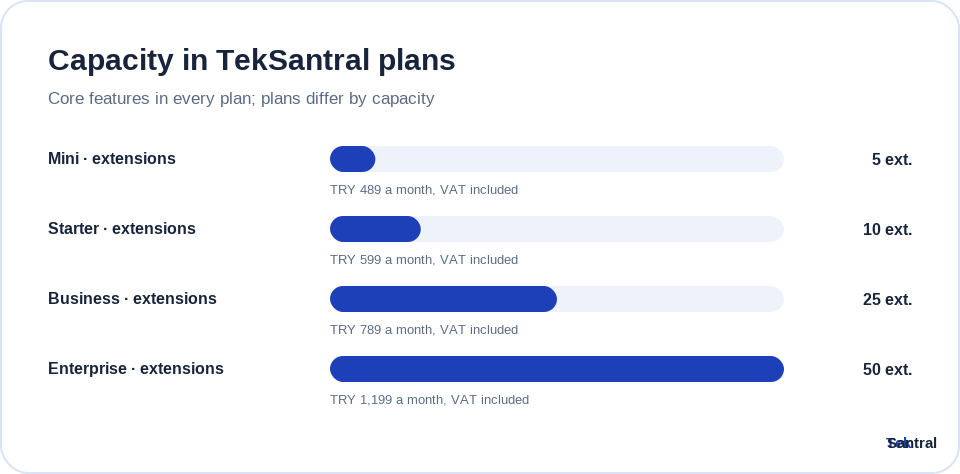
At TekSantral the core features are in every plan; plans differ in capacity. Prices include VAT, and there is no extra charge for IVR menus, business hours, ring groups, queues, voicemail, 7 days of call recording or call history. CRM and API, the call centre pack (auto dialer, wallboard) and the satisfaction survey are optional modules.
| Plan | Price | Extension | Concurrent calls | Number | Provider trunks | Recorded |
|---|---|---|---|---|---|---|
| Mini | TRY 489 | 25 | 444 | 444 | 444 | 250 MB · 7 days |
| Starter | TRY 599 | 1 | 5 | 10 | 10 | 250 MB · 7 days |
| Business | TRY 789 | 25 | 1 | 25 | 5 | 250 MB · 7 days |
| Enterprise | TRY 1,199 | 50 | 15 | 1 | 25 | 250 MB · 7 days |
Related pages: Cloud and Virtual PBX Pricing 2026: From TRY 440 a Month
Which costs come on top of the PBX plan?
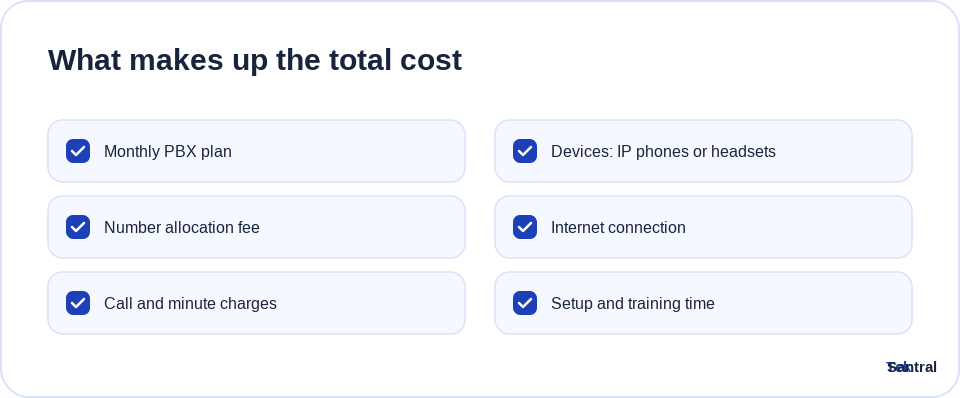
The total cost of a cloud PBX is more than the plan fee. Number and call charges follow the tariff of the operator your number belongs to and are separate from the PBX plan. If you connect your own provider line, your current tariff keeps applying.
Desk phones are optional. Your team can talk through a softphone on the computer, a SIP app on the mobile or the browser phone in the customer panel. If you prefer desk phones, any SIP-capable IP phone works, including ones you already own.
Optional modules are also separate from the plan: an extra extension is TRY 29 a month each, an extra line TRY 59 per channel, the 3-month recording archive TRY 199, the 12-month archive TRY 499, the CRM and API module TRY 199–479 depending on the plan, the call centre pack TRY 249–599 depending on the plan and the post-call satisfaction survey TRY 499 (VAT included; 10% off paid yearly). The pricing page has the current list.
Related pages: Choosing IP Phones and SoftphonesWhat Is a SIP Trunk? Connect Your Line
Is a cloud PBX cheaper than an on-premise PBX?
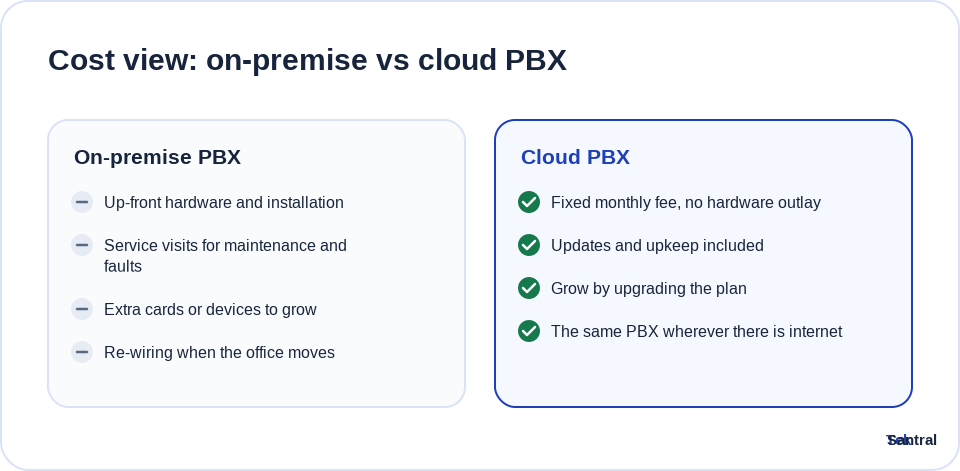
An on-premise PBX front-loads most of its cost: the unit, cards, cabling and installation labour. Maintenance, faults and capacity growth add more later. A cloud PBX has no up-front investment; it runs for a fixed monthly fee, with updates and server upkeep included.
Which is cheaper depends on team size, expected growth and remote work. For businesses that are growing, opening branches or working from home, a cloud PBX usually offers more flexible and predictable costs.
Related pages: Virtual PBX vs IP PBX vs Cloud PBXCloud PBX Migration Guide and Checklist
Which plan should you choose?
The two key factors are extensions and concurrent calls. Extensions usually match the number of people who work by phone; department lines (e.g. accounts, warehouse) count as extensions too. Concurrent calls depend on how many conversations run at once in the busiest hour.
As a rough guide: Mini for offices of up to 5 people on a single line; Starter for teams of up to 10 starting with one number; Business for companies with sales and support teams and a few numbers; Enterprise for branches or heavy call traffic. If lines run short only at peak times, you can add extra lines per channel instead of moving up a plan. When needs change, request a plan change in the panel.
- Count the people and department lines that use phones.
- Estimate simultaneous conversations in the busiest hour.
- List the numbers and provider lines you want to connect.
- Add the growth you expect within a year.
Related pages: Cloud and Virtual PBX Pricing 2026: From TRY 440 a MonthCloud PBX for Small Businesses
What should you watch for when comparing prices?
Compare cloud PBX services at the same capacity and with the same features. The questions below help you compare offers fairly.
- Are IVR, recording and queues included or extra?
- Is there a setup fee or long commitment?
- Can you keep your current number and provider?
- Is VAT included?
- Is the panel in Turkish and can you make changes yourself?
- How are support requests raised and tracked?
| Question | In TekSantral |
|---|---|
| Are features extra? | Not the core features; advanced features are optional modules |
| VAT included? | Yes |
| Can you bring your number? | Yes, by SIP account or IP routing |
| Can you get a new number? | Yes, in your name as an authorised reseller |
| Who makes changes? | You, in the customer panel |
Example scenarios: which plan for which business?
The scenarios below make plan choice concrete. Figures rely only on plan capacities; call and number charges are calculated separately from your provider’s tariff.
A six-person accounting office
One city number, an after-hours message and voicemail by e-mail are enough. With two or three calls at most at once, Starter (10 extensions, 3 concurrent calls) covers the need with room to grow.
An 18-person sales and support team
They use an 0850 and a city number, a ring group for sales and a queue for support. Campaigns can bring close to 10 calls at once, so Business (25 extensions, 15 concurrent calls) fits.
A clinic chain with three branches
Each branch has its own number and booking team; all branches call each other free by extension on one PBX. With 35 extensions and busy mornings, Enterprise (50 extensions, 25 concurrent calls) is the choice.
A four-person remote team
There is no office; everyone works through a mobile app or the browser phone. Mini (5 extensions, 1 concurrent call) gives them a business number without buying desk phones; if they need more than one outside call at a time, Starter is the choice.
Related pages: Cloud PBX for Clinics and PracticesCloud PBX for Sales Teams: Queues, Call-backsPhone System for Remote Teams
Which costs are easy to overlook?
When costing a phone system, people usually look only at the monthly bill. Yet missed calls, calls landing with the wrong person and manual transfers also cost time and customers. A customer who fails to get through twice usually calls a competitor; the loss never appears on the bill but shows in sales.
So when evaluating a cloud PBX, check whether call history, missed-call reports and queues are included. They make missed calls visible and make call-backs easy. Also, outgoing calls can stop when the minutes or credit on your provider line run out; per-trunk minute tracking and warnings flag this in advance.
How much internet does a cloud PBX need?
A cloud PBX carries voice over the internet, so it needs no extra line, but the connection must be stable. With the common G.711 codec each concurrent call uses roughly 100 kbps in each direction. An office with 10 simultaneous calls needs about 1 Mbps up and down; most business internet plans offer far more.
Latency and packet loss matter more than speed. Turning off SIP ALG on the router, using wired rather than Wi-Fi connections and prioritising voice (QoS) on busy networks are the most effective steps. They cost nothing and prevent most one-way audio and drop-out problems.
Related pages: Support and Setup GuidesWhat Is SIP? SIP Account vs SIP Trunk
Practical ways to keep costs down
The biggest cost drivers on a cloud PBX are call charges and oversized capacity. A few simple adjustments usually cut unnecessary spending.
Internal calls are free
Branches and remote staff call each other by extension without provider charges.
Turn on minute tracking
Track minutes per trunk and get a warning when your package runs low.
Pick the right plan
Measure concurrent calls from the call history and size the plan to match.
Cut missed calls
Call-backs cost time and minutes; good menus and queues reach the right person first time.
Related pages: 10 Ways to Reduce Missed CallsWhat Is a SIP Trunk? Connect Your Line