Cloud PBX: Your office may change. Your PBX moves with you.
What a cloud PBX is, how it works, how it differs from an on-premise PBX and what it costs. Run a business phone system on your own or a new 0850 number.
What is cloud PBX?
A cloud PBX is a business phone system that runs on servers on the internet instead of a box in the office. Extensions, IVR menus, business hours, call recording and voicemail are managed from a web panel, and phones connect to the same number from anywhere with an internet connection.
It is also called a virtual PBX, IP PBX or hosted PBX. The idea is the same: the PBX software runs on the provider’s server and you simply use it. At TekSantral your PBX runs on our server in Türkiye, fully isolated from other customers.
Related pages: What Is a SIP Trunk? Connect Your LineBusiness Numbers: 0850, 0212, 0216, 444
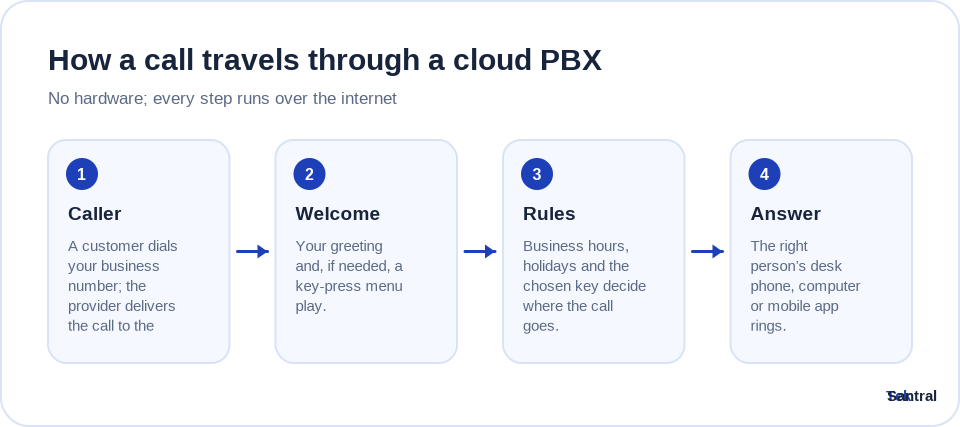
How does a cloud PBX work?
Your number is registered with a provider, and calls reach the PBX over that provider’s line. This link is a SIP trunk: the provider either gives you a SIP account the PBX registers with, or routes your number to the PBX’s IP address. The PBX answers the call by your rules and delivers it to the right person.
Your team’s phones connect to the PBX over SIP too. Each person gets an extension and sign-in details, which a desk phone, a computer softphone, a mobile app or the browser phone in the panel use to register. One extension can ring on several devices at once; whoever answers first takes the call.
Outgoing calls take the reverse path: the call leaves the extension, passes permission and caller-ID rules in the PBX and reaches the other party over your provider line. Calls are billed at your provider’s rates.
Related pages: Mobile PBX App: TekSantral Mobile
How does a cloud PBX differ from an on-premise PBX?
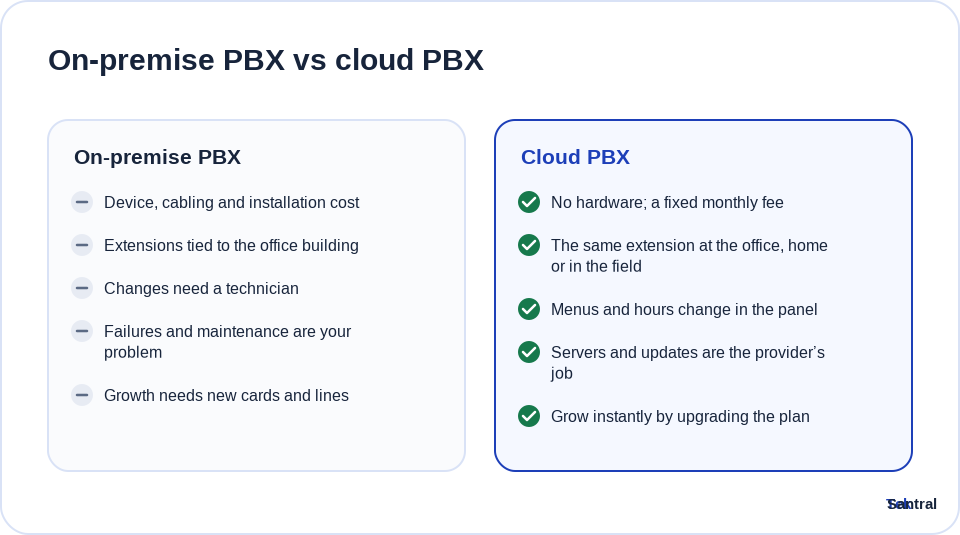
An on-premise PBX is a device installed in the office with line cards and cabling; maintenance, failures and growth are your responsibility. A cloud PBX has no device: the infrastructure belongs to the provider and every change happens in the panel.
| Topic | On-premise PBX | Cloud PBX |
|---|---|---|
| Upfront cost | Device, cards and installation | None; a monthly plan fee |
| Working location | The office building | Anywhere with internet |
| Changing menus and hours | Needs a technician | A few minutes in the panel |
| Growth | New cards, lines and cabling | A plan change |
| Branches and remote work | Separate devices or a VPN | Shared extensions on one PBX |
| Reporting | Usually limited | Call history and live status in the panel |
What features does a cloud PBX include?
At TekSantral the core features are in every plan; some advanced features are optional modules. The most used ones are:
Related pages: Virtual PBX Features: The Complete ListHow to Build an IVR Welcome Menu
IVR menu
A key-press welcome such as “1 for sales, 2 for support”; menus can be nested.
Hours and holiday schedule
Calls go to the team during hours and to a message or voicemail after hours.
Ring groups and queues
Ring several people at once or hold callers in line.
Voicemail to email
Messages left on missed calls arrive in your inbox as audio files.
Call recording
Switch it on separately for inbound, outbound and internal calls, with per-person exceptions.
Call history and live status
Who called, who answered, which calls were missed; online extensions in real time.
Does a cloud PBX work with my own number?
Yes. Your number can stay with its provider; you connect your 0850, 0212, 0216, 444 or city number from Verimor, NetGSM or any provider that offers SIP lines. The panel has ready settings for Verimor and NetGSM; with other providers you enter the server address and account details.
If you have no number, we obtain a new business number in your name from licensed fixed-line operators as an authorised reseller. The number is registered to you, and our team connects it to the PBX.
Related pages: What Is a SIP Trunk? Connect Your Line0850 Numbers: What, How to Get One, SetupNumber Porting: Landline and 0850 Numbers
How is cloud PBX pricing set?
At TekSantral the core features are in every plan; plans differ in capacity: extensions, concurrent outside calls, numbers and provider trunks. Each plan includes 250 MB of space and 7 days of call recording. Paying yearly takes 10% off; prices include VAT.
Calling and number allocation fees are separate from the PBX plan. When you connect a number you already have, your provider’s tariff still applies; you can track your minute package in the panel and get a warning when it runs low.
Related pages: Cloud and Virtual PBX Pricing 2026: From TRY 440 a Month
| Plan | Monthly fee | Extension | Concurrent calls | Number | Provider trunks |
|---|---|---|---|---|---|
| Mini | TRY 489 | 25 | 444 | 444 | 444 |
| Starter | TRY 599 | 1 | 5 | 10 | 10 |
| Business | TRY 789 | 25 | 1 | 25 | 5 |
| Enterprise | TRY 1,199 | 50 | 15 | 1 | 25 |
How do you set up a cloud PBX?
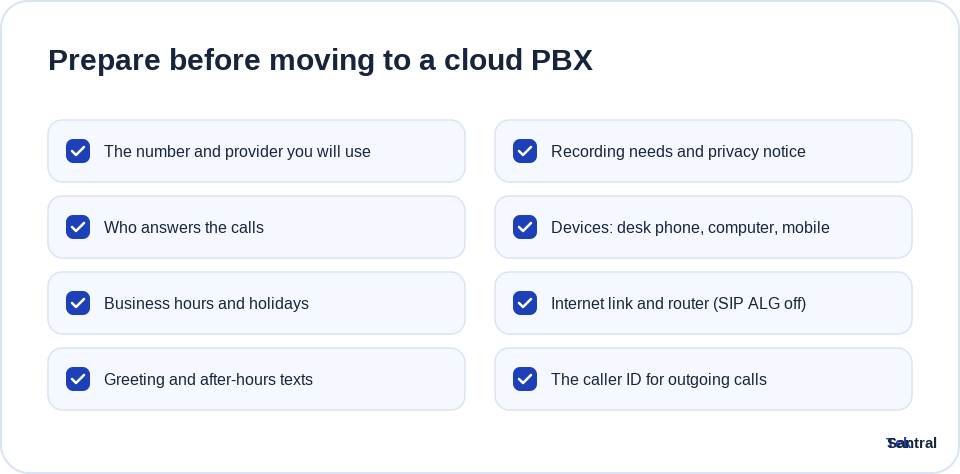
No technical knowledge is needed. After you sign up, the Easy number setup wizard asks for your number and provider, who answers calls, what callers hear and your business hours, then creates the trunk, extensions, greeting and voicemail for you.
Finally you connect your phones: enter the SIP details from the extension page into a desk phone or app, or use the browser phone. For a first test, just dial *43 for the echo test.
Related pages: Cloud PBX Migration Guide and ChecklistChoosing IP Phones and Softphones
Who is a cloud PBX for?
It suits any business that answers customers by phone, from a one-person office to a multi-branch company. It makes the biggest difference when:
- Part of the team works from home, in the field or in other cities.
- Calls must not be missed and need handling after hours.
- Several numbers or branches need managing from one place.
- You want a professional welcome without investing in PBX hardware.
Related pages: Cloud PBX for Small BusinessesCloud PBX for Multi-Branch BusinessesCall Centre PBX: Queues, IVR and Recording
Is a cloud PBX the same as a virtual PBX?+
Yes. Cloud PBX, virtual PBX, IP PBX and hosted PBX describe the same service: the PBX software runs on the provider’s server and is used over the internet.
What internet speed does a cloud PBX need?+
A voice call uses roughly 100 kbit/s, so an ordinary office connection carries many calls at once. Stability matters more than speed, and SIP ALG should be off on the router.
Do I need to change my number?+
No. Your number stays with your provider and connects to the PBX over a SIP line. We can also obtain a new number in your name.
Which devices can I use?+
SIP desk phones, a softphone on the computer, a SIP app on the mobile and the browser phone in the customer panel. One extension can ring on several devices together.
What happens to calls if the power or internet goes down?+
The PBX keeps running in the cloud. If your office phones are offline, calls can go to voicemail, another extension or a mobile number you choose.
How long does setup take?+
With your number and provider details ready, the basic setup usually takes a single session with Easy number setup. If a provider approval or new number is needed, timing depends on the provider.
How long are recordings kept?+
Each plan keeps recordings for 7 days within 250 MB. You play them from the call history and must inform callers about recording.