Cloud PBX for sales teams: From a first conversation to a new opportunity.
Run your sales line with a queue, reach the next free rep fast and call back missed calls. Cloud PBX setup and an example call flow for sales teams.
What does a cloud PBX give a sales team?
A cloud PBX for sales teams is an internet-based phone system that queues calls to the sales line, hands them to the next free rep and logs every conversation. The goal is that a prospect reaches a salesperson on the first call.
In sales an unanswered call is often a customer who goes to a competitor. Used together, queues, ring groups and call history show when calls are missed, help you plan the team and let you call back the same day.
Related pages: Call Centre PBX: Queues, IVR and Recording
Queue
When every rep is busy, callers wait in line with hold music.
Smart distribution
Calls can go round-robin, to the longest-idle rep or to everyone at once.
Callback list
Filter missed calls in call history and call back in one click.
How do you set up a sales line call flow?
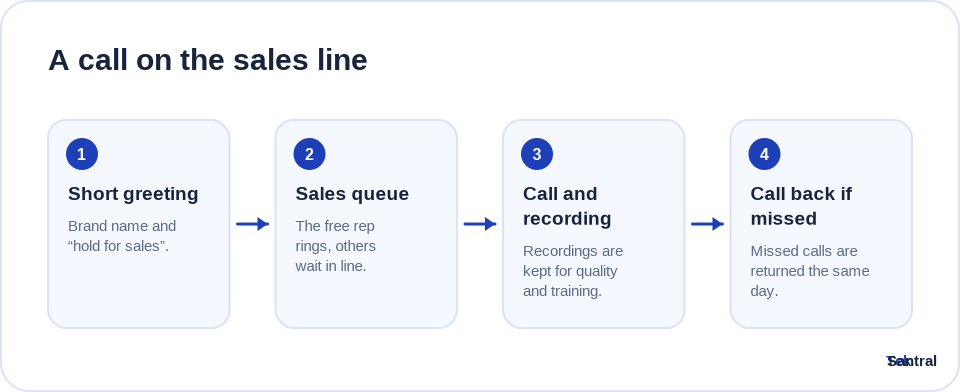
A sales number should serve one purpose: connect the caller to a rep by the shortest path. A short greeting followed straight by the queue works better than a long menu. Adding a support key for existing customers keeps sales focused on new opportunities.
When the maximum queue wait is reached, the caller can go to voicemail or to an on-call rep’s mobile, so no opportunity is lost even at peak times.
Ring group or call queue?
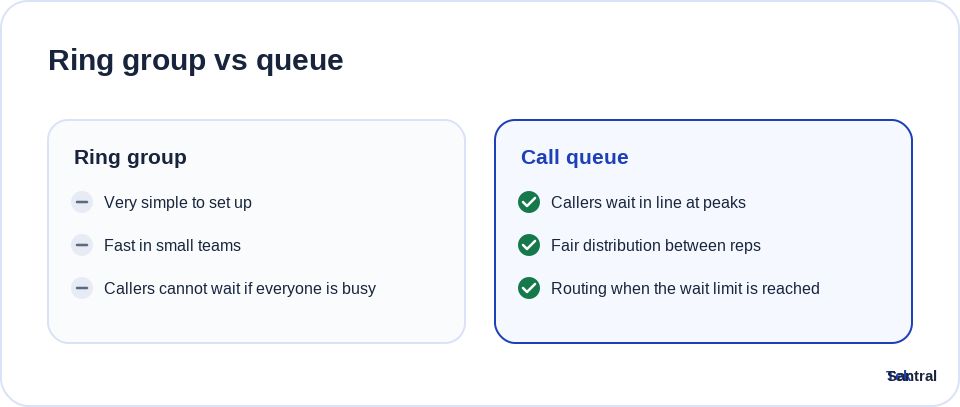
For a sales team of three or four, a ring group is enough: everyone rings at once and the first to answer takes the call. As the team grows and several calls arrive together, a queue gives fairer, more orderly distribution.
| Feature | Ring group | Call queue |
|---|---|---|
| Best for | Teams of 2–5 | Teams taking many calls at once |
| Ringing | All together or in turn | To the free rep, by rule |
| All busy | Moves to the next destination | Caller waits in line |
| Wait limit | Ring time | Maximum wait, then routing |
How are call recordings used in sales?
Recordings help train new reps, analyse objections and recall what was agreed verbally. In TekSantral you switch recording on separately for inbound and outbound calls and can choose always or never for specific extensions.
If you record, you must inform callers, usually with a short sentence in the greeting. Recordings are kept for your plan’s period and played from call history.
Related pages: Call Recording and KVKK: A Business Guide
How do field sales reps take part?
Field reps connect the TekSantral Mobile app on their Android phones with a QR code from the web panel; a SIP app can be used on other phones. Even during visits they take calls from the sales queue and show the business number on outbound calls. When a rep leaves, their user is disabled and the extension is handed over, so the customer relationship stays with the company.
Related pages: Answering Business Calls on Mobile
Common sales line mistakes
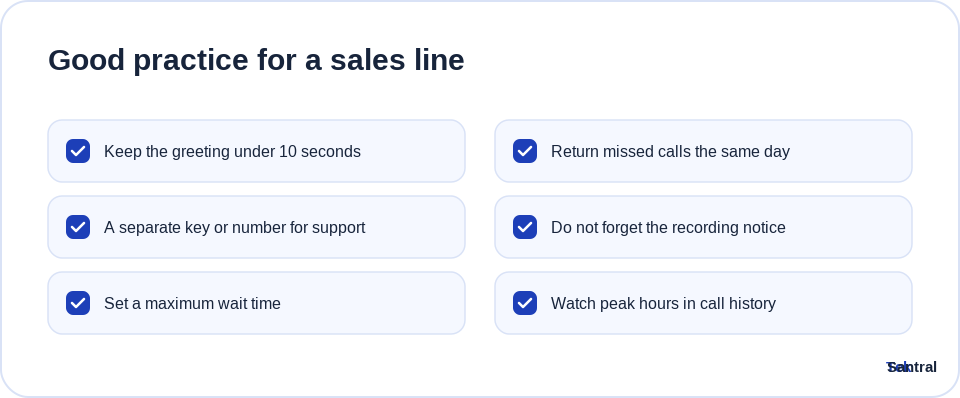
Sales teams often judge their phone system only by whether it rings. A few settings turn the same ad budget into more sales conversations.
Sales and support on one line
Existing customers’ issues take reps’ time. Use a separate key or number for support.
Unlimited queue waits
Long waits make customers hang up for good. Set a maximum wait, then route to voicemail or a duty rep.
No follow-up on missed calls
Check the missed-call list in call history at the end of each day.
Calling out from personal numbers
Customers save the rep’s personal number. Show the business number on extensions.
Which plan suits a sales team?
For sales teams the deciding figure is concurrent calls: how many reps can be on the phone at once and how many customers can wait? Callers waiting in a queue count as concurrent calls too.
Every plan includes 250 MB and 7 days of call recording. Calling and number allocation fees are separate from the PBX plan; if you have no number, we allocate one in your name from licensed fixed-line operators as an authorised reseller.
Related pages: Cloud and Virtual PBX Pricing 2026: From TRY 440 a Month
| Plan | Price | Extensions / concurrent calls / numbers | Who it suits |
|---|---|---|---|
| Mini | TRY 489 | 5 / 1 / 1 | One-person sales line |
| Starter | TRY 599 | 10 / 3 / 2 | Sales teams of 2–4 |
| Business | TRY 789 | 25 / 10 / 5 | 5–15 reps with queue and recording |
| Enterprise | TRY 1,199 | 50 / 15 / 10 | Busy campaign periods, several sales numbers |
Should I use a queue or a ring group on the sales line?+
A ring group is enough for small teams. If several calls arrive at once, a queue lets callers wait and distributes calls fairly.
How do I see missed calls?+
In call history, filter by direction and status to list missed inbound calls and call them back.
Which number do reps show when calling out?+
You choose one of your approved numbers per extension; usually the sales number is shown.
Can calls be recorded?+
Yes. Inbound and outbound recording are switched on separately and kept for your plan’s period. You must inform callers.
Can field reps work from their mobiles?+
Yes. The extension also rings in the SIP app on the mobile, so reps take queue calls and call out with the business number.
What do callers in the queue hear?+
Hold music or your own campaign message. When the maximum wait is reached, the call moves to the destination you set.