Cloud PBX for small businesses: Small team. Strong communication.
A cloud PBX for small businesses: one number, a welcome menu, business hours and forwarding to mobile. No hardware, set up with your own number.
What is a cloud PBX for small businesses?
A cloud PBX for small businesses connects the company number to a phone system that runs over the internet and handles calls with a welcome menu, business hours and extensions. Nothing is installed in the office; everything is set up in a browser panel.
In a small business the same person often handles sales and support and takes calls away from the office. A cloud PBX gathers this scattered traffic on one number: whenever a customer calls, they either reach the right person or leave a voicemail, so no call is lost to an unanswered ring.
Related pages: What Is a Cloud PBX? How It Works, PricingBusiness Numbers: 0850, 0212, 0216, 444
The first welcome
Introduce your business with a short greeting; callers know at once they reached the right place.
Team routing
Send calls to one person, a group that rings together, or team members in turn.
Out of hours
When the day ends, calls move to a message and voicemail automatically.
What does a call flow look like for a small team?
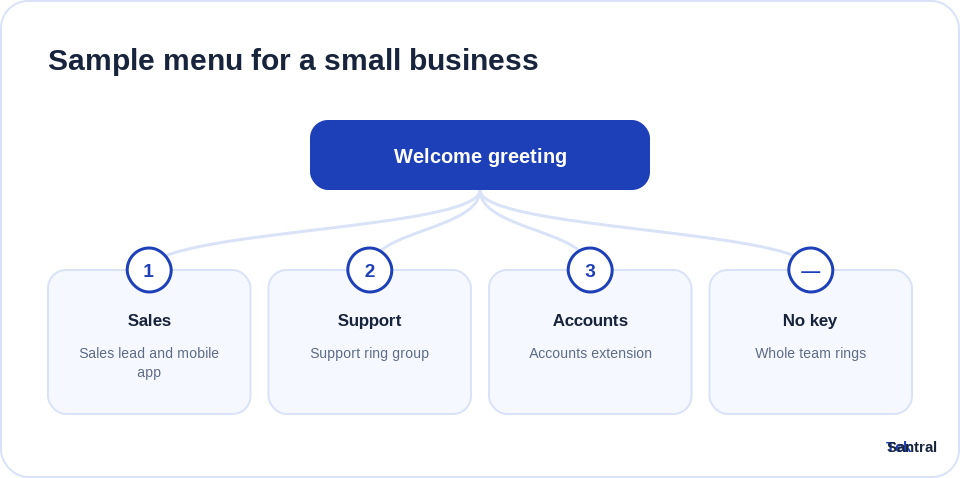
Think of a five-person agency, service company or shop. A three-key menu is enough for most small businesses: sales, support and accounts. If the caller presses nothing, the whole team rings; if nobody answers, the caller leaves a voicemail that arrives in your email as an audio file.
Keep the menu short; callers should hear four options at most. As the business grows, adding a key or pointing an option to someone else takes a few minutes in the panel.
How do I answer calls when I am out of the office?
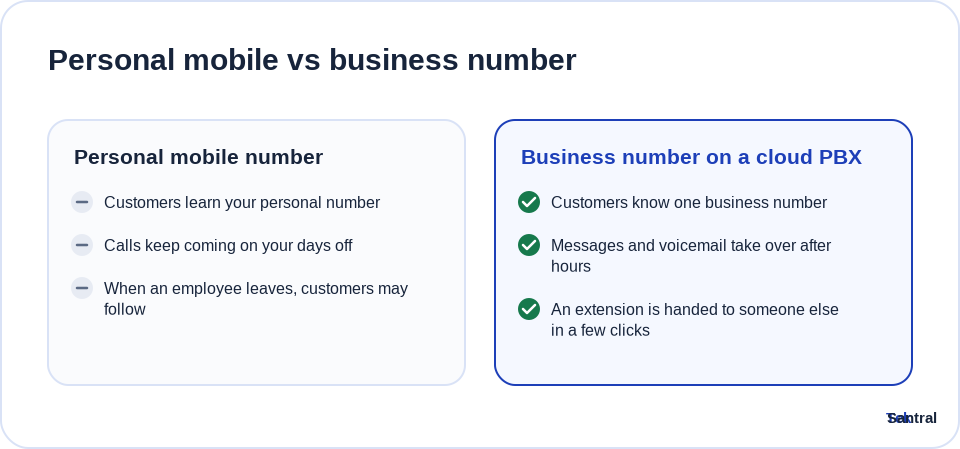
Each extension can ring on several devices at once: the IP phone on the desk, the softphone on the computer and the TekSantral Mobile app on the phone. On site, at home or on the road, calls to the business number ring on your mobile, and outbound calls show the business number rather than your personal one.
The panel also has a browser phone, so you can make and answer calls from a computer without installing anything. It is a practical start for temporary staff or new team members.
Related pages: Answering Business Calls on Mobile
Which features really help small businesses?
Small businesses do not use every feature; a few basics that ease daily work are enough. The table below sums up the most common needs and how TekSantral covers them.
Related pages: Virtual PBX Features: The Complete ListHow to Build an IVR Welcome Menu
| Need | How TekSantral covers it |
|---|---|
| Look professional | Welcome greeting, IVR menu and hold music |
| Miss no calls | Ring groups, voicemail and audio files by email |
| Business hours | Weekly schedule and public holidays |
| Work away from the office | Mobile app, softphone and browser phone |
| Follow-up | Call history and optional call recording |
| Easy setup | Easy number setup wizard |
How long does setup take and what is needed?
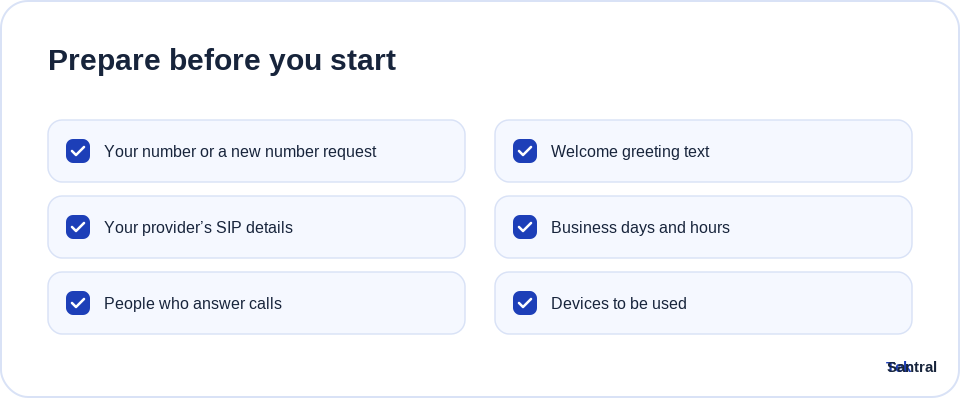
If your number is ready, setup usually takes less than an hour. The Easy number setup wizard asks for your number, provider, who answers, what callers hear and your business hours; the trunk, extensions, greeting and voicemail are created for you.
If you have no number, we allocate a new 0850 or city number in your name as an authorised reseller. If you prefer to stay with your provider, there are ready-made settings for Verimor and NetGSM; with other providers you simply enter the SIP details.
Related pages: Cloud PBX Migration Guide and Checklist
Common phone mistakes in small businesses
Small teams often set up their phones as a stopgap and never revisit it. These mistakes are the most common causes of lost customers.
A number tied to one person
All calls go to the owner’s mobile; nobody answers during meetings or holidays. A ring group shares the load.
Forgetting after hours
Evening callers hear an unanswered ring. A short after-hours message and voicemail build trust.
A long greeting
A twenty-second promo bores callers. Keep the greeting to 8–10 seconds.
Unheard voicemails
Send voicemails to email and name someone to check them every morning.
Which plan suits a small business?
Every feature is in every plan; plans differ only in capacity. Choose by your number of extensions and how many people may be on the phone at the same time; as you grow, open a support request in the panel to upgrade.
Every plan includes 250 MB and 7 days of call recording. Calling and number allocation fees are separate from the PBX plan; if you have no number, we allocate one in your name from licensed fixed-line operators as an authorised reseller.
Related pages: Cloud and Virtual PBX Pricing 2026: From TRY 440 a Month
| Plan | Price | Extensions / concurrent calls / numbers | Who it suits |
|---|---|---|---|
| Mini | TRY 489 | 5 / 1 / 1 | 1–5 person office, single line |
| Starter | TRY 599 | 10 / 3 / 2 | Offices, shops and service firms of 1–10 people |
| Business | TRY 789 | 25 / 10 / 5 | Growing teams up to 25 people, several numbers |
| Enterprise | TRY 1,199 | 50 / 15 / 10 | Busy or multi-branch businesses |
Does a one-person business need a cloud PBX?+
It is not essential, but a welcome message, an after-hours message and voicemail by email make even a one-person business look professional. When the team grows, you add extensions in minutes.
Can I work without giving customers my personal mobile number?+
Yes. With a SIP app on your mobile you take calls to your business number and show the business number when you call out.
Which plan suits a small business?+
The Starter plan, with 10 extensions, 3 concurrent calls and 2 numbers, is enough for most small teams; offices of up to 5 people on a single line can choose Mini. Upgrade when you need more.
Do I need to buy desk phones?+
No. You can start with a mobile app, a softphone or the browser phone in the panel. If you want desk phones, any SIP-capable model works.
Do I need to change my number?+
No. Your number stays with your provider and is connected to the PBX. If you have none, we allocate a new one in your name as an authorised reseller.
What happens to calls after hours?+
Following your schedule, callers hear an information message and can leave a voicemail, which arrives in your email as an audio file.
Is technical knowledge needed?+
No. The Easy number setup wizard uses plain questions, and you can open a support request in the panel if you get stuck.